The Warehouse Floor, in the Palm of a Hand.
A purpose-built handheld app for receiving, put-away, picking, loading and VAS tasks. Scan-confirmed actions, large touch targets and the same live data as the Operations Console.
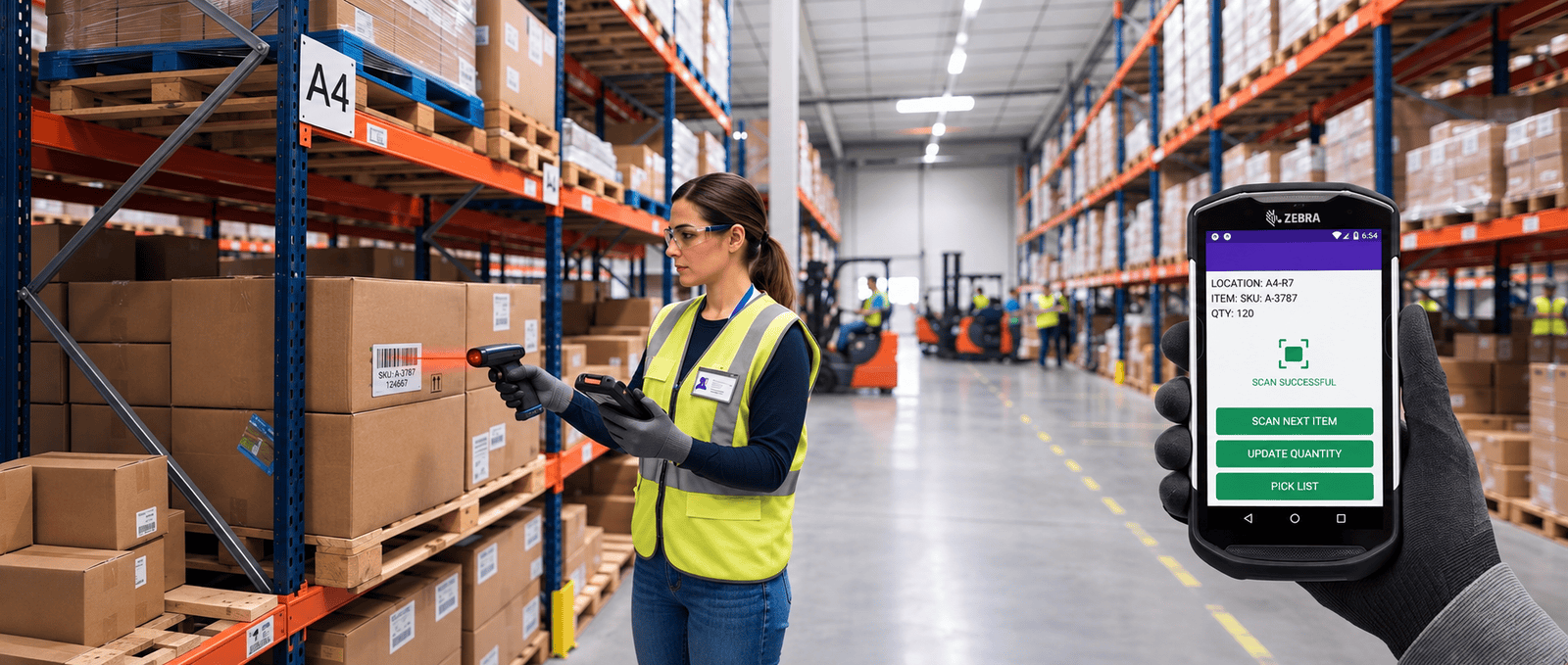
Every floor task, in one handheld app.
The Wareflux Mobile App is a Blazor WebAssembly app built for 5–6″ handhelds. It uses the same API and data as the Operations Console, so the floor and the office always see the same stock.
-
Receiving
Receive batches against the ASN. One GS1 scan can fill in batch, expiry and quantity at once.
-

Put-away
Scan the LPN, follow the suggested bin, then scan the location to confirm the move.
-
Picking
One pick at a time, with the aisle, rack and bin shown clearly and a scan to confirm each line.
-
Loading
Open the active loading order straight from the home screen and scan each LPN onto the vehicle.
-
VAS tasks
A personal task queue for labeling, repackaging, kitting and gift wrapping jobs.
-

Bin peek
Scan any location barcode to see what is in the bin and its latest movements. Read only.
Works with the scanners you already own.
Every scan field in the app uses one shared scan input. It keeps itself focused, cleans up the input and gives instant feedback, whatever device is doing the scanning.
Supported scanning
 Keyboard-wedge handhelds Zebra TC2x / TC5x, Honeywell CT4x and Newland handhelds.
 Bluetooth HID scanners Pair a ring or pistol scanner with any phone or tablet.
- Camera fallback Use the device camera when no hardware scanner is available.
 Configured to your vendor Scanner settings are set up to each device vendor's requirements during rollout.
Built into every scan
- GS1-128 and DataMatrix
- GTIN, SSCC, batch, dates, serial and quantity are read from a single barcode.
- Sound and vibration
- A distinct tone and buzz for success, warning and error. Users can mute either in their profile.
- Ready for IT
- Ready-made Zebra DataWedge and Honeywell EZConfig profiles, vendor-specific setup for Newland and other devices, and a scan diagnostics page.
- Typing when needed
- Phones and tablets without a scanner can still open the keyboard and type a code.
Picking that keeps hands on the stock.
Pickers open their active pick list straight from the home screen. The app shows one line at a time and will not confirm a pick until the right LPN is scanned.
-
Open from home
Tapping Picking opens the picker's active list directly. No order list to search through.
-
See the current pick
Product, quantity, batch and expiry, with the location broken into large aisle, rack and bin tags.
-
Scan to confirm
Confirm Pick stays disabled until the scanned code exactly matches the LPN for that line.
-
Move to the next
Up next and completed picks are grouped by aisle and rack, and Wave Pick confirms a whole list at once.
Designed for gloved hands.
The same rules apply to every screen in the app, so new pages behave exactly like the ones staff already know.
-

Large touch targets
Every button and control is at least 44 × 44 pixels, with no hover-only actions.
-

Scan to confirm
Put-away, pick and load confirmations need a barcode scan, so nothing is confirmed by accident.
-

Works offline for reads
The last loaded task list is cached, so staff can still see their work when Wi-Fi drops in the aisles.
-

Arabic and English
Every screen is bilingual, with full right-to-left layout for Arabic.
Supervisor tools in their pocket.
Supervisors get extra views on the same device, so they can manage the floor without walking back to a desk.
-

Live warehouse map
A mobile-first map of each zone that updates in real time as stock moves. Supervisors only.
-

Wave picking
Confirm a full pick list in one step when a supervisor needs to clear a wave quickly.
-
Bin lookup anywhere
Scan a bin to check its contents and recent history before approving a count or a move.